Posts mit dem Label Forms Migration Services werden angezeigt. Alle Posts anzeigen

2017-02-13

Individual Frame Layout in ADF 12c via custom RichRenderer Class

In one of our Forms to ADF modernization projects, one of our customers wanted to keep the UI structure more or less the same. For many components, there are best practices to map one Oracle Forms UI Component to ADF Structures, but in our case, we had to provide a solution to the following UI-Container Pattern:

<<NamedFramePattern>>
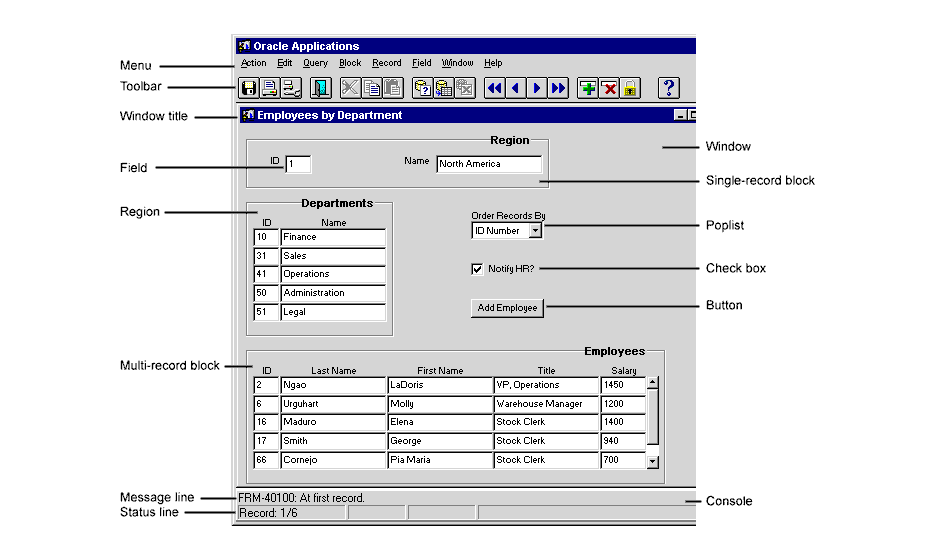
The idea of this pattern is to provide help for the user to see a categorization of UI Items. In general ADF, this might be done via UI Categorization via UI Hints at View Object Level. Unfortunately, this resolves into af:group containers on UI, which are interpreted by the parent container to make sense out of the items. So all in all, we are limited by the frameworks default implementations.

To solve the problem, we thought about the general solution in free html/css context. Here the problem is easy to solve. See

http://jsfiddle.net/ZgEMM/685/

for a sample solution. To reach the explicit HTML code you need out of JSF components is (in most cases) not possible.

Again, ADF supports the creation of own declarative components, but typically we just join other JSF compontents to our liking.

So we have to go one step further. The next steps show you how to create a "component/renderer" mashup to achieve the NamedFramePattern in ADF.

1. Create a declarative container component that has only a panel group layout and a content facetRef. Be sure to add a ComponentClass to your Declarative component for easier access and uniqueness afterwards.


(The Group layout inside is necessary, since all declarative components are not rendered per definition of the UIXBaseComponent-Renderer because it is only a reference for a JSF include).

2. Create a RichRenderer that is based on the renderer for ADF Group Layouts and add additional HTML code to the rendered feature. This can be done by overriding the encodeAll(...) method of the parent class.


package de.teampb.ir.templates.nf;

import java.io.IOException;

import javax.faces.component.UIComponent;
import javax.faces.context.FacesContext;

import javax.faces.context.ResponseWriter;

import oracle.adf.view.rich.component.rich.fragment.RichDeclarativeComponent;
import oracle.adf.view.rich.component.rich.layout.RichPanelFormLayout;
import oracle.adf.view.rich.render.ClientComponent;
import oracle.adf.view.rich.render.RichRenderer;

import oracle.adfinternal.view.faces.renderkit.rich.DeclarativeComponentRenderer;

import org.apache.myfaces.trinidad.bean.FacesBean;
import org.apache.myfaces.trinidad.context.RenderingContext;
import org.apache.myfaces.trinidad.render.CoreRenderer;

import oracle.adfinternal.view.faces.renderkit.rich.PanelGroupLayoutRenderer;

public class NamedFrameRenderer extends PanelGroupLayoutRenderer {
    public NamedFrameRenderer() {
        super();
    }

    private static final String DEFAULT_COLOR = "#AAAAAA";

    private static final String IMPORTANT_COLOR = "#FFAAAA";

    @Override
    protected void encodeAll(FacesContext facesContext, RenderingContext renderingContext, UIComponent uIComponent,
                             ClientComponent clientComponent, FacesBean facesBean) throws IOException {
        ResponseWriter rw = facesContext.getResponseWriter();
        if (uIComponent.getParent() instanceof NamedFrame) {
            NamedFrame nf = (NamedFrame) uIComponent.getParent();
            rw.startElement("div", null);
            rw.writeAttribute("style", "border: 2px solid " + getColor(nf) + "; margin: 5px; padding: 5px", null);
            rw.startElement("h2", null);
            rw.writeAttribute("style",
                              "text-indent: 30px;\n" + "    margin-top: -10px;\n" + "    height: 10px;\n" +
                              "    line-height: 20px;\n" + "    font-size: 15px;", null);
            rw.startElement("span", null);
            rw.writeAttribute("style", "background-color:#FFFFFF; color:#000000;", null);
            rw.writeText(nf.getTitle(), null);
            rw.endElement("span");
            rw.endElement("h2");
            super.encodeAll(facesContext, renderingContext, uIComponent, clientComponent, facesBean);
            rw.endElement("div");
        } else
            super.encodeAll(facesContext, renderingContext, uIComponent, clientComponent, facesBean);
    }

    private String getColor(NamedFrame nf) {
        if ("important".equals(nf.getType())) {
            return IMPORTANT_COLOR;
        } else
            return DEFAULT_COLOR;
    }

}

The idea is that the renderer overrides the default Renderer for Panel Group layouts. So we have to keep the default implementation (the inside super.encodeAll line).

(The HTML code could be beautified by using classes instead of inline style, but I think you get the idea)

3. Add renderer to faces-Config.xml in the consuming ViewController Project.


4. Use declarative component as usual to achieve the layout addition by the renderer.


As you can see from the last image, since the JDeveloper design view uses the internal renderer classes we also get the advantage of what-you-see-is-what-you-get development. The resulting ADF application then looks as follows:


Please feel free to download the sources at

https://github.com/TEAMPB/ADF_POC.git

and pull the sources. To run the application, you need access to an HR schema. Then Run the hr-main.xml Task-Flow.

Cheers!

2014-07-02

Forms2ADF mal anders: Wie aus einer Oracle-Vision Praxis wird

Sollte der Film im letzten Post noch nicht detailliert genug beschrieben haben, wie eine Modernisierung von Forms zu ADF bei TEAM aussieht, so kann der Artikel

Forms2ADF mal anders: Wie aus einer Oracle-Vision Praxis wird


aus der aktuellen DOAG News weiterhelfen.

Dort beschreibt TEAM wie genau eine Modernisierung modellgetrieben durchgeführt werden sollte, um ein qualitativ hochwertiges und erweiterbares Ergebnis zu erzielen.

2014-05-02

TEAM - Wir migrieren anders


So macht eine Forms-Anwendung wieder Spaß

2014-04-30

Forms Migration Services - The clever way of Forms modernization


After several years of intensive research in cooperation with s-lab, a special interest group of the University of Paderborn supporting industrial partners in developing new technologies, TEAM proudly presents the Forms Migration Services – a process to take your Forms application to the next level using a model driven migration approach containing the TEAM Migration Assistant - a toolset for semi-automatic modernizations. Do the results justify all the effort? Yes, definitively!

In accordance with the objective to transform a Forms application into a maintainable ADF application, the project team initially followed the approach of a fully automated migration. This initial idea had to be revised, however, due to the technical differences between the two platforms Forms and ADF. A wider approach had to be taken in order to achieve appropriate/satisfactory results. Migrating a Forms application using a single blue print which transforms dialogue by dialogue and even generates a "Forms-Runtime" in ADF may represent a viable method to generate a running ADF application; however, this application would neither be maintainable nor would it offer any extension points to allow progression of the application. Thus it was obvious that a more sophisticated and abstract way of thinking was needed to solve the issues a 1:1 migration brings along.

Keeping that in mind, the project team, consisting of TEAM developers and s-lab members, developed a new approach to transforming and, at the same time, modernizing a Forms application into a “true” ADF application. A major challenge in this process was the fact that most Forms applications have been developed with a company specific Forms framework (i.e. functions and objects extending the original Oracle Forms framework). The new migration method is based on a multilevel modernization process. By using tools for source code analysis, knowledge and patterns for the specific Forms application are recognized and transformation rules can be established. These rules provide project specific patterns to the TEAM Migration Assistent which then generates the ADF application iteratively. Each iterative step is to be finished manually. After each step, our migration experts and the development team come together to discuss the lessons learned and whether or not recent development steps or code fragments can be automated in the next iteration step. This procedure ensures that the following iteration steps can be finished a lot quicker.


The Forms Migration Services offered by TEAM provide a novel integrated concept to modernize your Oracle Forms application to a "true" ADF application that is maintainable, great looking and enabled for future implementations!